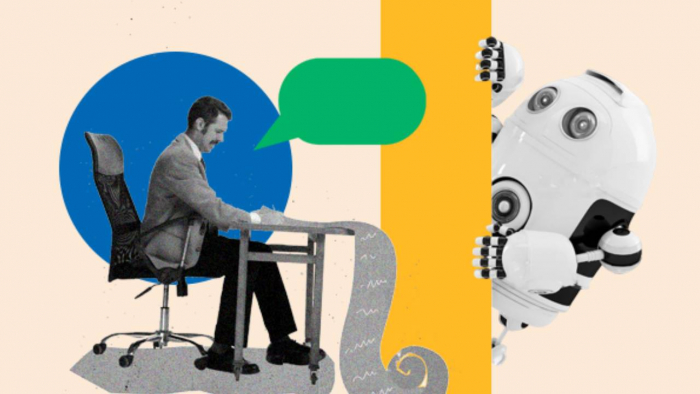
Freelancing offers flexibility, but it also comes with a hidden cost. Time slips away quietly. Not only on client work, but on emails, follow-ups, revisions, visuals, research, and task management. These small tasks stack up and slowly reduce the hours available for actual paid work.
This is where AI has started to make a real difference for freelancers. Not through big promises, but through practical support. Tools like an AI image generator help freelancers create visuals on demand instead of spending time searching for assets or waiting on edits. AI does not replace freelance skills. It removes friction from daily work so freelancers can focus on delivering value and growing their income.
Why time is the biggest challenge for freelancers today
Most freelancers do not struggle because of a lack of skills. They struggle because they are doing everything themselves.
A typical day includes replying to client messages, preparing drafts, creating visuals, organizing tasks, fixing small edits, and switching between tools. None of these tasks are difficult. They are repetitive. Over time, they create mental fatigue. AI helps by reducing the effort needed for these everyday actions.
Where freelancers lose the most time every day
Time loss does not come from one big task. It comes from many small ones.
Freelancers usually lose time on:
● Writing and rewriting emails and proposals
● Creating quick visuals for blogs, social media, or client previews
● Formatting content for different platforms
● Managing deadlines and to-do lists
● Researching topics or client industries
These tasks feel small, but together they can take several hours a day.
Using AI to handle admin and communication faster
Client communication is necessary, but it should not consume the entire day. AI helps freelancers reduce the time spent thinking about wording and structure.
AI can help with:
● Drafting professional email replies
● Writing follow-ups and proposals faster
● Summarizing long client messages into clear action points
● Improving tone and clarity in written communication
Instead of starting from a blank screen, freelancers can start from a solid draft and adjust it quickly. This alone saves a surprising amount of time.
How AI speeds up content and visual creation
Content creation is one of the biggest time drains for freelancers, especially for those working in marketing, writing, or social media.
AI helps speed this up in two major ways.
First, writing. Freelancers use AI to create first drafts for blog posts, captions, scripts, or outlines. This does not replace editing or thinking. It simply removes the slow starting phase.
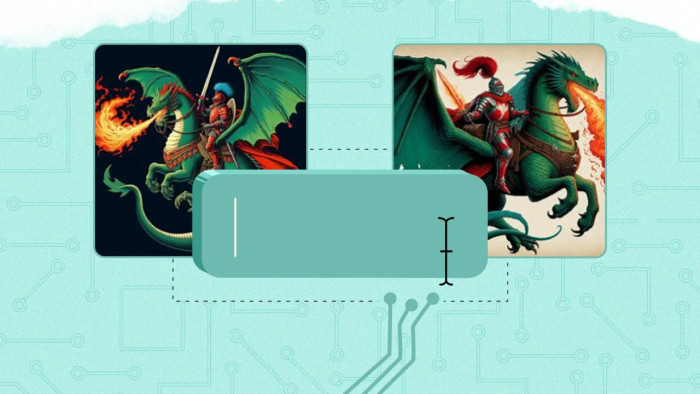
Second, visuals. Many freelancers are not designers, but still need images. An AI image generator allows freelancers to create blog headers, thumbnails, and social media visuals without opening design software or waiting for external help. This is especially useful when testing ideas or sharing quick client mockups.
In the same workflow, an AI background remover helps clean up images instantly. Freelancers can remove unwanted backgrounds from photos for presentations, portfolios, or social posts without manual editing. These small tools remove common bottlenecks in daily creative work.
Tools like ImagineArt are often used for this purpose, helping freelancers generate visuals and make quick edits without technical complexity.
Managing tasks and projects with less mental load
Freelancers juggle multiple clients and deadlines. Keeping everything in mind is exhausting.
AI helps reduce this mental load by:
● Breaking large projects into smaller tasks
● Summarizing task lists and priorities
● Helping freelancers plan daily or weekly work
Reducing the chance of missed deadlines
Instead of constantly checking tools and notes, freelancers can get quick summaries and focus on execution.
Faster research and learning with AI assistance
Research is important, but it can quickly turn into a time sink.
AI helps freelancers:
● Summarize long articles or documents
● Understand new industries or topics faster
● Extract key points from reports
● Compare information without reading multiple sources in full
This is especially helpful for freelancers who work across different niches and need to adapt quickly.
What AI can and cannot replace for freelancers
AI is a strong support tool, but it is not a replacement for real freelance work. It works best when it handles the repetitive parts, not the thinking.
AI helps freelancers move faster by taking care of routine tasks. It supports organization, speeds up repeated work, and makes first drafts easier to create. This reduces effort, not responsibility.
What AI cannot replace is judgment. Understanding client needs, making strategic decisions, and applying creativity still depend on experience. These are the skills clients actually pay for. Freelancers who get the best results treat AI as assistance, not a shortcut.
How saving time with AI helps freelancers grow
Saving time is not about working less. It is about working with more control and focus. When AI removes repetitive tasks, freelancers can handle more paid work without burning out. The time saved also improves client delivery, because attention shifts from rushing to doing better work.
With fewer daily distractions, freelancers gain space to learn new skills, improve their portfolio, or market their services more consistently. Most importantly, AI helps protect mental energy. When energy is managed well, maintaining a healthy work-life balance becomes realistic, and long-term growth becomes sustainable.
Key takeaways
● Freelancers lose time on repetitive daily tasks
● AI helps reduce admin, content, and visual workload
● AI image generator tools speed up visual creation
● AI background remover tools simplify image editing
● AI supports freelancers, but does not replace human skills
Conclusion
AI is not changing freelancing overnight. It is changing it quietly, task by task. By removing small inefficiencies, AI gives freelancers more control over their time.
The freelancers who benefit the most are not the ones chasing every new tool. They are the ones using AI intentionally to reduce friction and stay focused on meaningful work.
Saving time is not about working faster. It is about working smarter.
FAQs
1. Can beginners use AI tools for freelance work
Yes. Most AI tools are built for non-technical users. Freelancers only need basic instructions to start using them effectively.
2. Is using AI expensive for freelancers
Many AI tools offer free plans or affordable subscriptions. The time saved often outweighs the cost.
3. Can AI replace freelance skills
No. AI supports execution and speed. Strategy, creativity, and client relationships still depend on human skills.
4. Which freelance tasks benefit most from AI
Admin work, content drafting, visual creation, research, and task management benefit the most.
5. Is it safe to use AI-generated visuals for client work
Yes, as long as freelancers review outputs and follow client guidelines. Tools like AI image generators and AI background removers are commonly used for quick, professional results.
Post Comment
Be the first to post comment!